Day 2: A Deep Dive into the Try Hack Me Welcome Lab — Your First Hands-On Hacking Challenge
Introduction: From Theory to Practice
Welcome back to Day 2 of our daily hands-on cybersecurity journey! In Day 1, we laid the essential groundwork by setting up and professionally configuring our Try Hack Me account. Today, we take the thrilling leap from preparation to practical application. We will be conquering our very first lab: the foundational Try Hack Me “Welcome” room. This tutorial is meticulously designed to demystify the core mechanics of the platform. By the end of this guide, you will not only have completed your first challenge but will also master the fundamental workflow of deploying targets, connecting to them, and finding flags - skills that are the bedrock of every future lab you’ll encounter.
Step 1: Enrolling in the Welcome Room – Your Mission Briefing
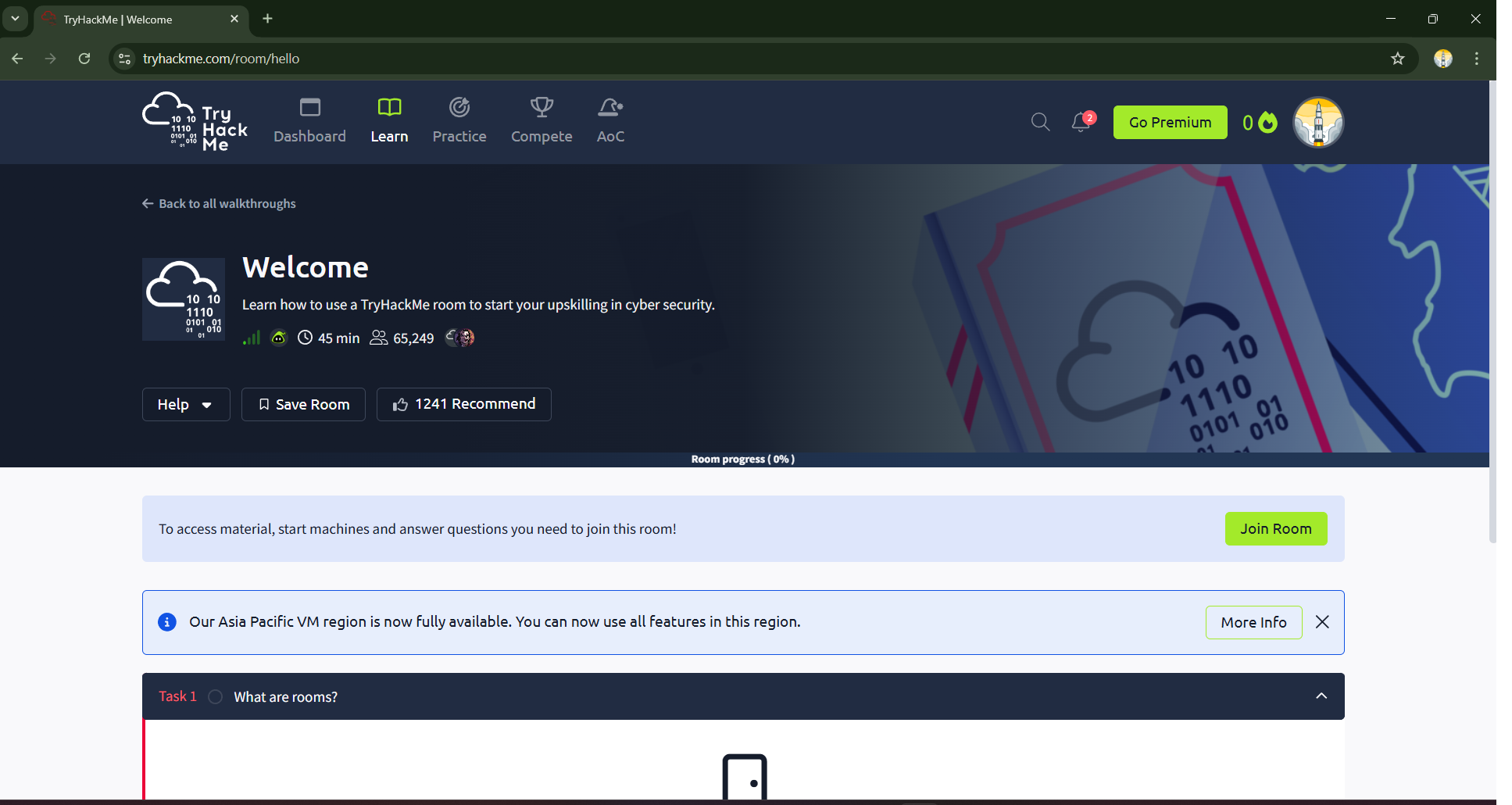
Your first objective is to join the Welcome room. After logging into your Try Hack Me dashboard, you can locate this room via the search bar or as part of the initial onboarding path. The room’s main page acts as your mission briefing, providing context, an estimated completion time, and social proof from thousands of other learners. To begin, locate and click the prominent green Join Room button. This action officially enrolls you in the lab, unlocking the tasks and transforming the page into your interactive workspace.
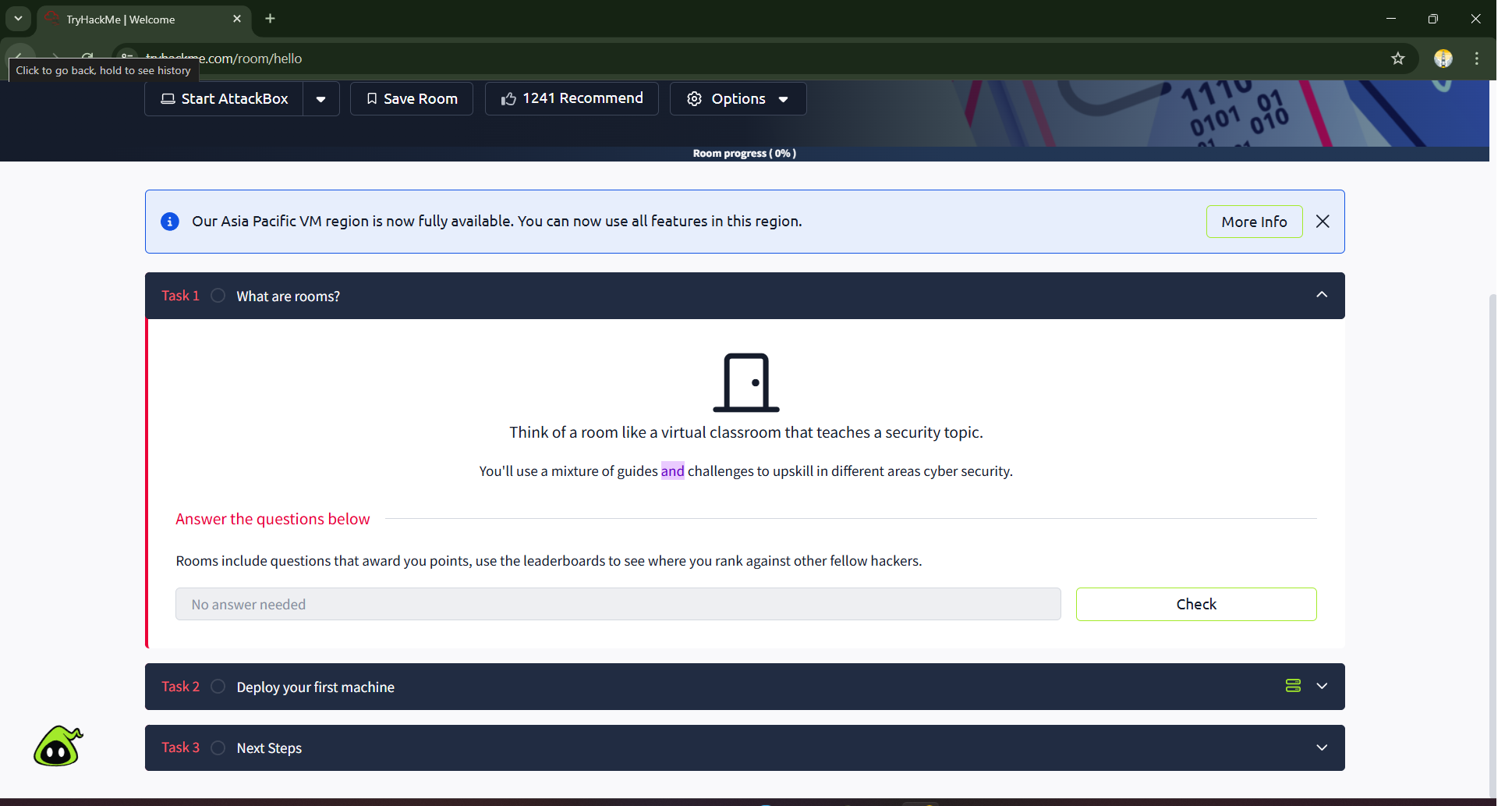
The first task, What are rooms?, serves as a quick orientation. In the Try Hack Me ecosystem, a room is a self-contained learning module focused on a specific cybersecurity topic. It’s a virtual classroom containing theoretical guides, practical challenges, and questions to test your understanding. After reading the brief text, you’ll answer a simple question to confirm comprehension, which then allows you to progress.
Step 2: Deploying Your First Virtual Machine — Bringing the Target Online
This is the moment where hands-on learning truly begins. Task 2, Deploy your first machine, introduces you to one of the most exciting features of Try Hack Me. You’re not just reading about hacking; you’re about to spin up a live, vulnerable machine that you can legally and safely attack.
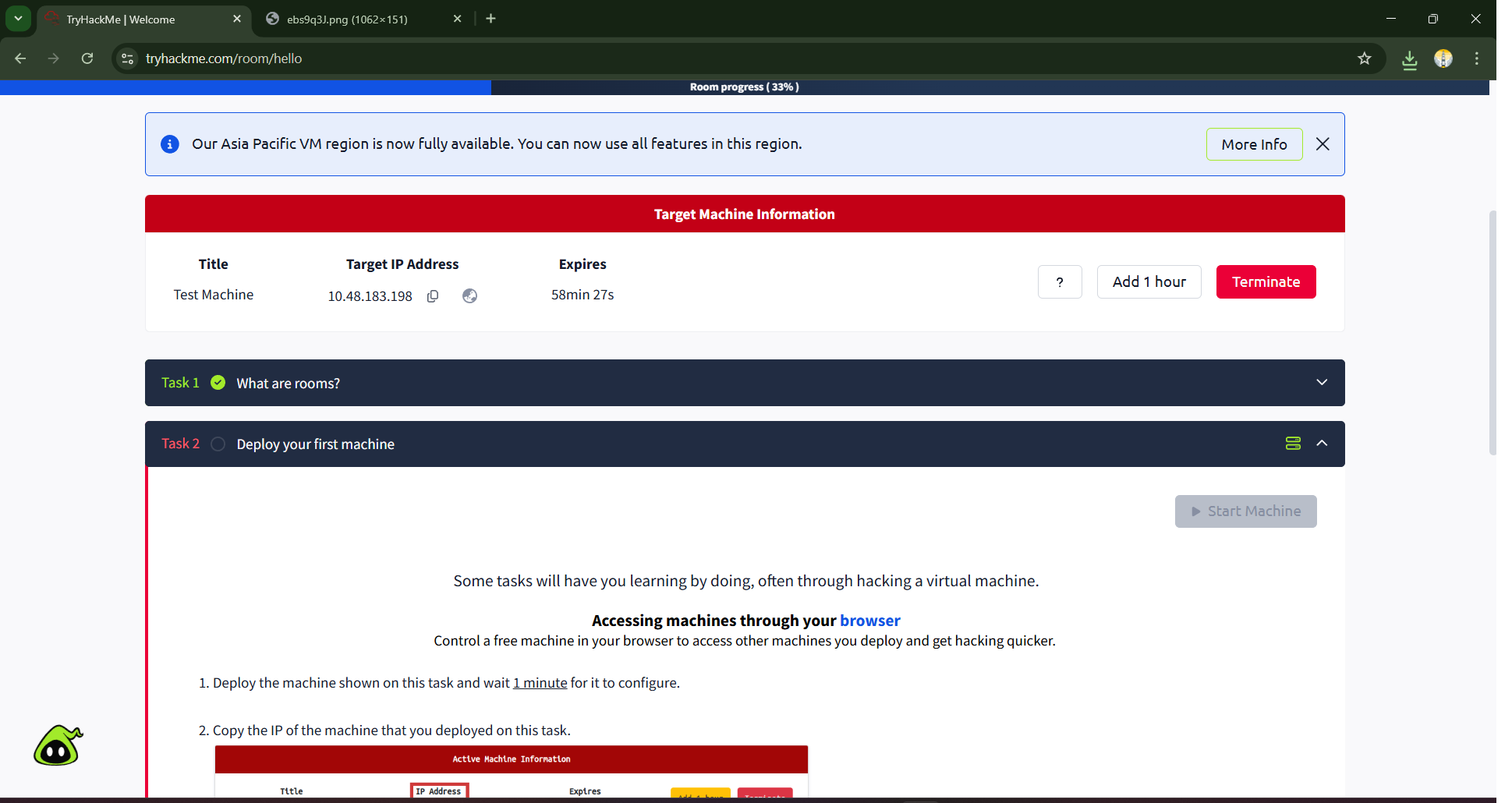
Click the green Start Machine button. In the background, Try Hack Me’s cloud infrastructure is provisioning a dedicated virtual machine (VM) just for you. As the instructions note, allow at least one minute for this process to complete — the machine needs time to boot up its operating system and services. Once it’s ready, a red banner titled Target Machine Information will appear at the top of the page. This banner is critically important, as it displays the machine’s Target IP Address. An IP address is a unique identifier for a device on a network, much like a street address for a house. This IP address is how you will find and connect to your target.
Step 3: Launching the Attack Box — Your Personal Hacking Environment
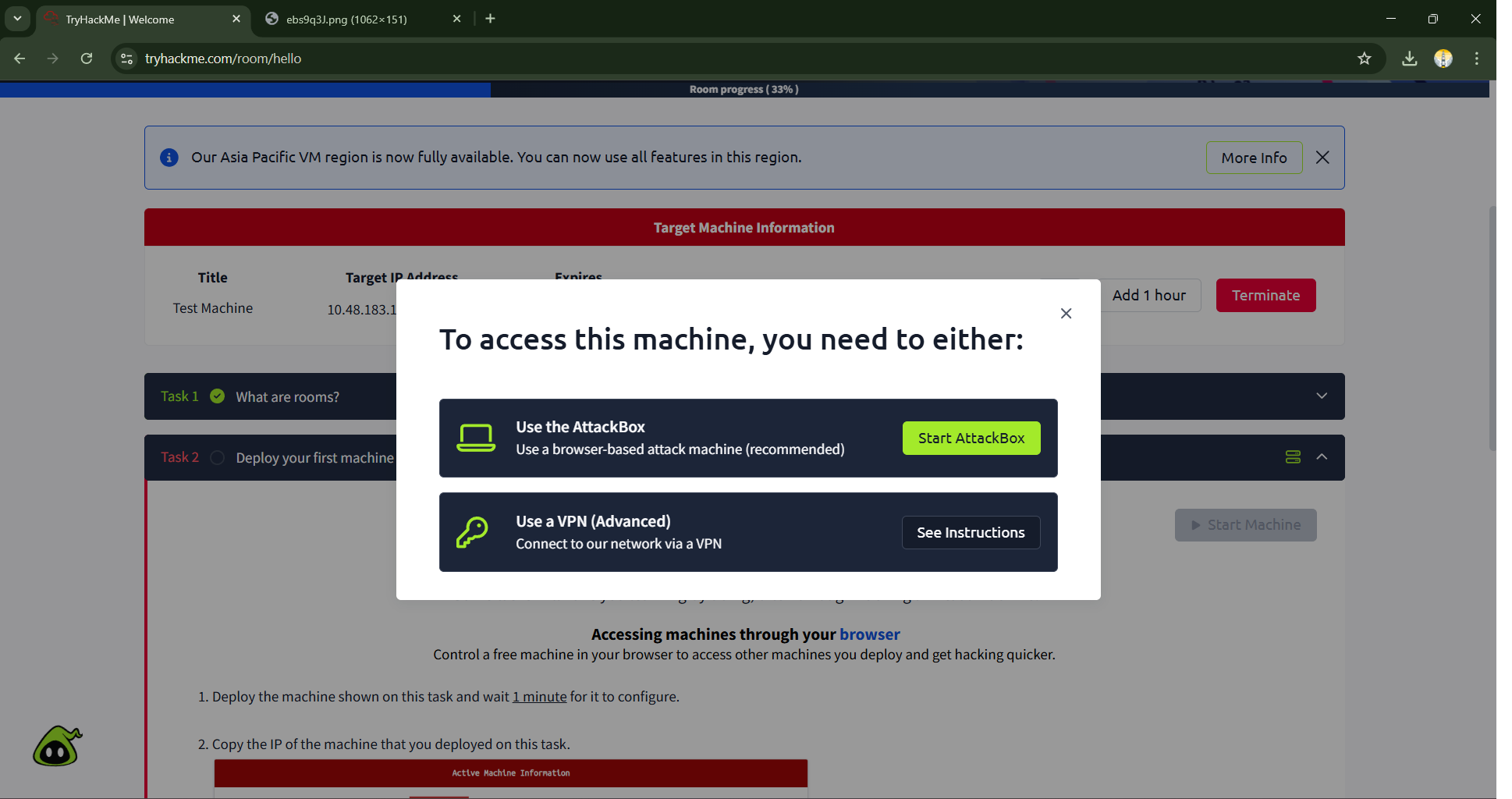
Now that your target is online, you need a machine from which to launch your attack. Try Hack Me provides a powerful, browser-based solution called the Attack Box. This is a fully-featured Linux virtual machine, pre-installed with all the essential cybersecurity tools, that runs directly in your browser. This saves you the complex setup of a local hacking environment, allowing you to jump straight into the action. To launch the AttackBox, simply click on the “?” help icon available on the platform and proceed with the guided steps to activate it.
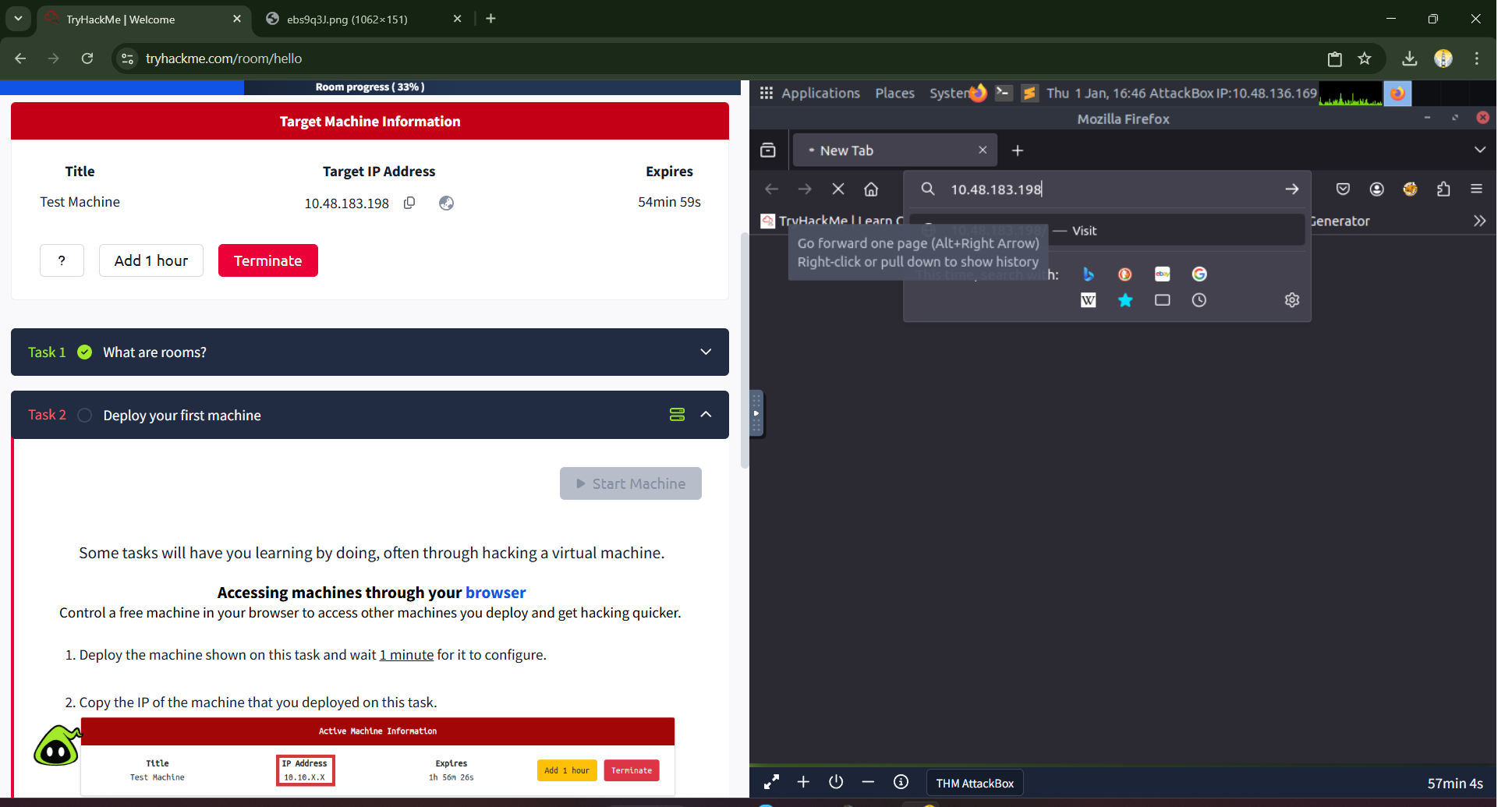
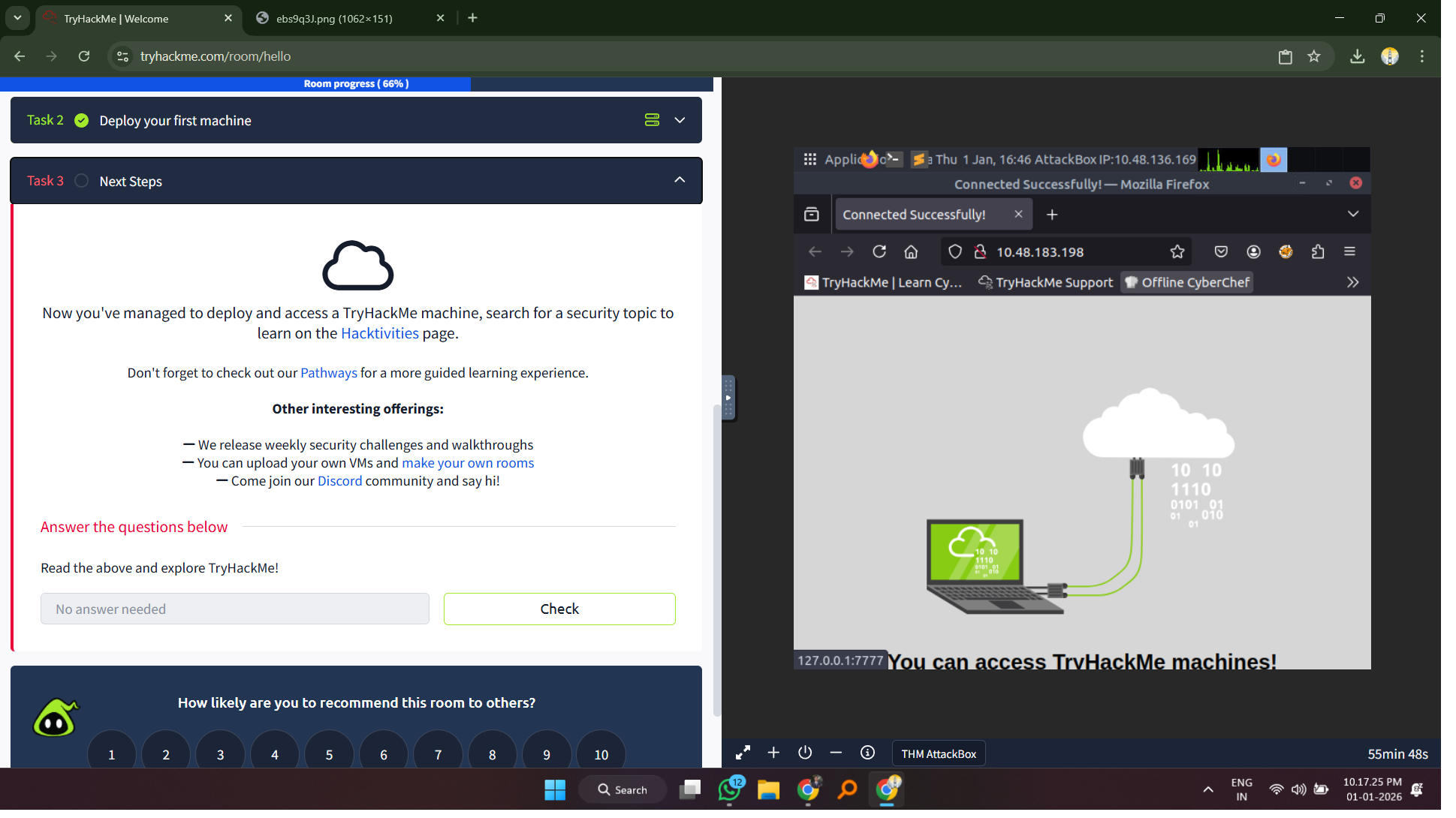
To access the target, click the blue Start Attack Box button. A new pane will open, loading a complete Linux desktop environment. Inside this Attack Box, open the pre-installed Mozilla Firefox web browser. Now, carefully copy the Target IP Address from the red banner on the main Try Hack Me page. Switch back to the Attack Box window and paste this IP address directly into the URL bar of its Firefox browser, then press Enter. This action tells the Attack Box’s browser to send a request to the web server running on your target machine.
Step 4: Capturing Your First Flag — The Thrill of Discovery
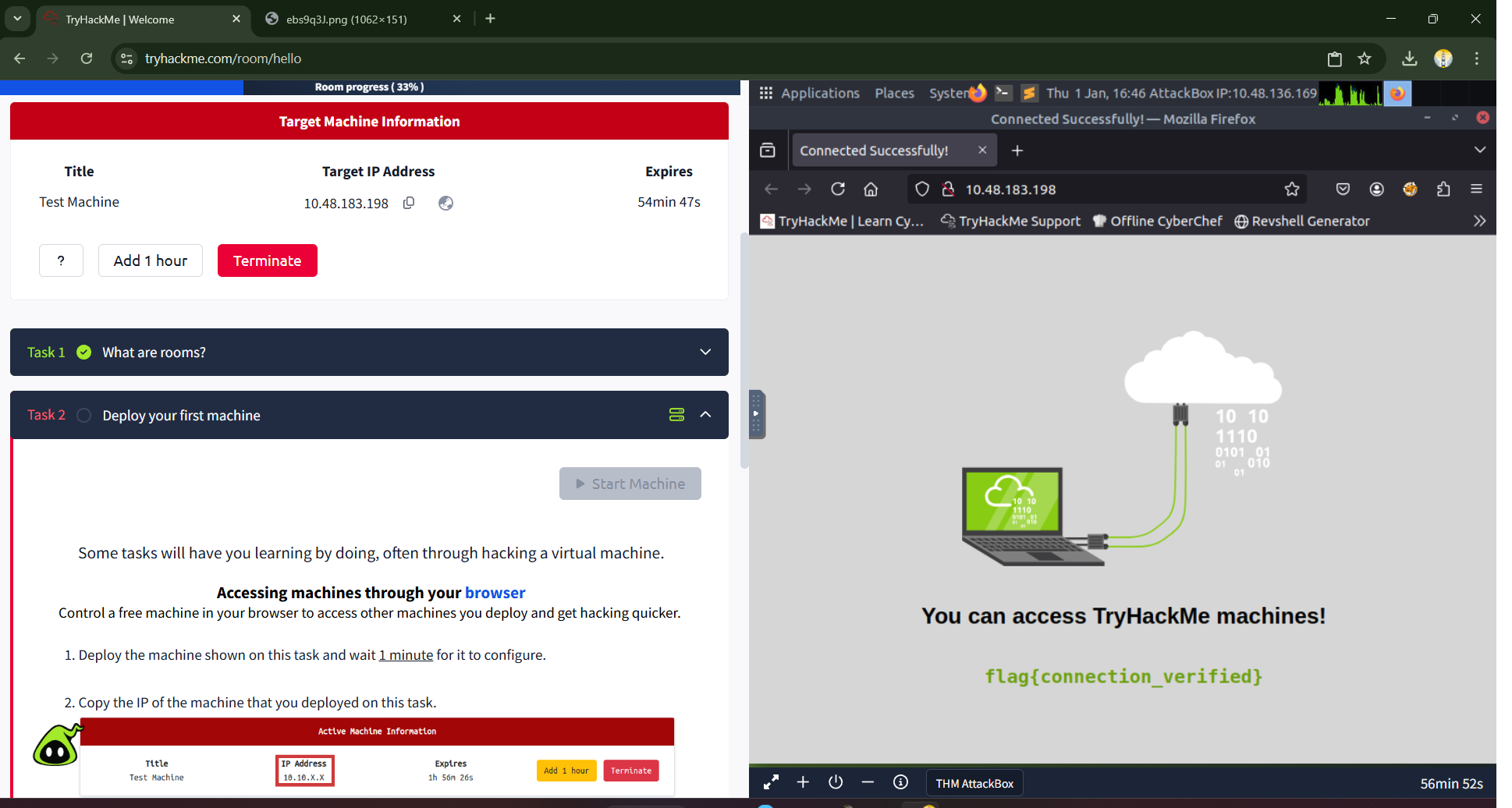
If all steps were followed correctly, the web page hosted on the target machine will load successfully. This page serves as confirmation of your connection and presents you with your very first flag. In cybersecurity challenges and Capture The Flag (CTF) competitions, a “flag” is a piece of text, often in a specific format like flag{text_goes_here}, that serves as proof of successful exploitation or completion. Finding and submitting flags is the primary way you demonstrate your skill and progress through rooms on Try Hack Me.
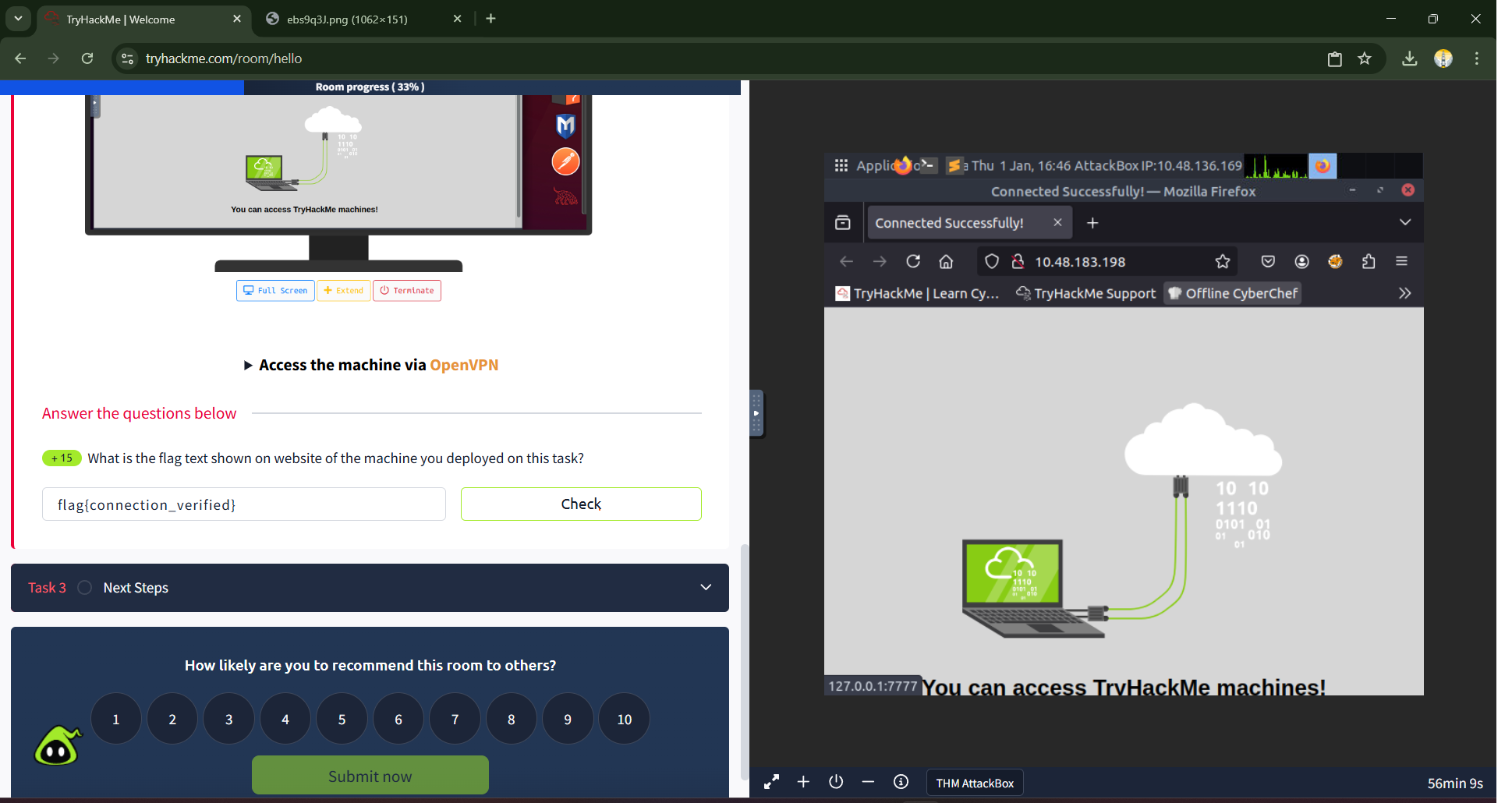
On the webpage, you will see the following text: flag{connection_verified}
This is your prize. Highlight and copy the entire flag, including the flag{} wrapper. Navigate back to the main Try Hack Me “Welcome” room page. In the answer field for Task 2, paste the flag you just discovered and click the “Check” button. A rewarding “Correct!” notification will appear. You have officially hacked your first machine and captured your first flag!
Conclusion: Mission Accomplished and Your Path Forward
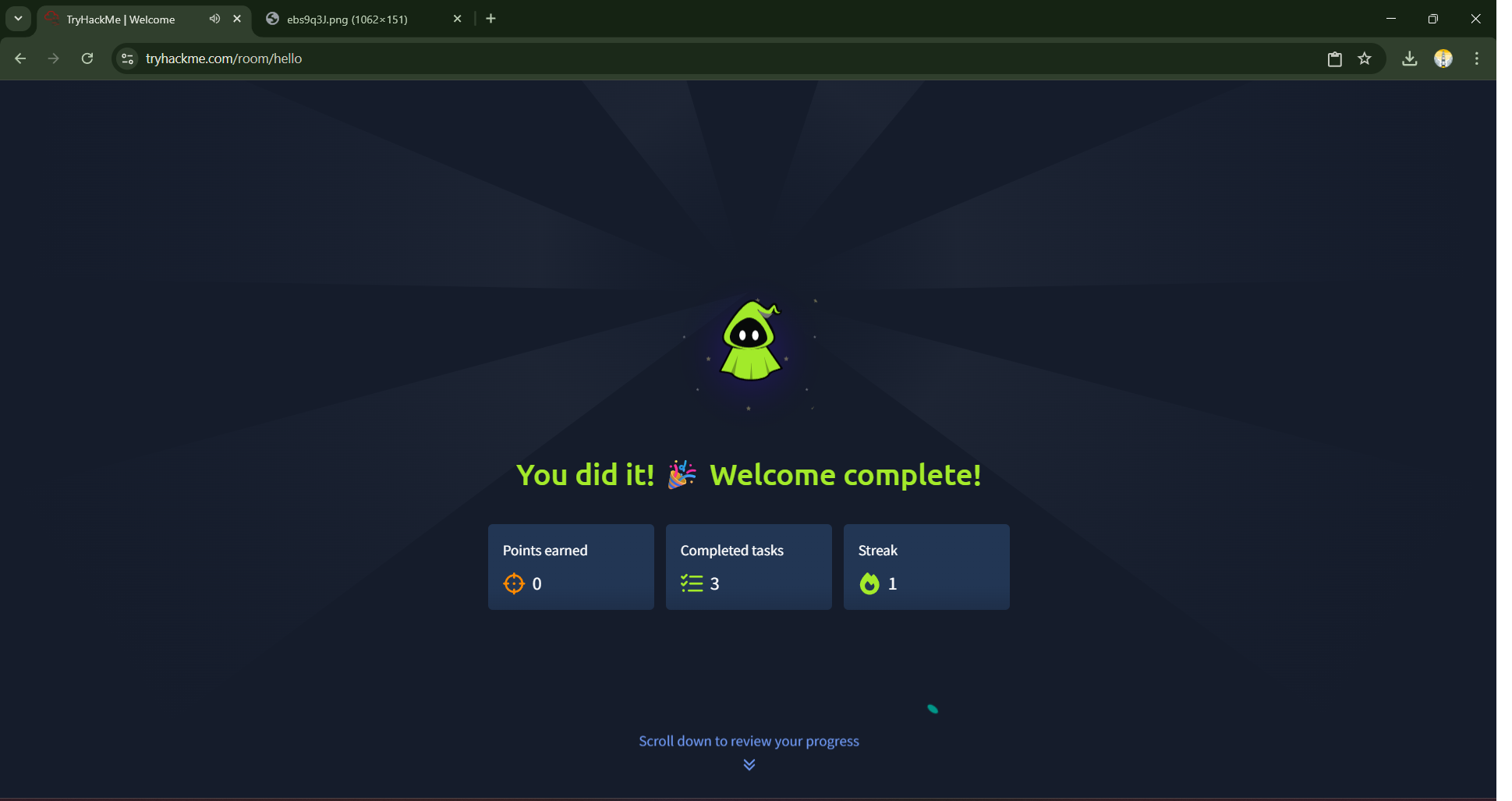
Upon completing the final task, you’ll be greeted with a “Welcome complete!” screen. Take a moment to appreciate this milestone. You have successfully navigated the entire core loop of a hands-on lab on Try Hack Me.
Today, you learned how to:
- Join a room and understand its structure.
- Deploy a target VM and identify its IP address.
- Launch and operate the Attack Box as your dedicated offensive platform.
- Connect to a target machine over the network.
- Identify, capture, and submit a flag to complete a challenge.
These five skills are the fundamental building blocks for your entire cybersecurity learning journey on this platform.
Preview for Day 3: Mastering the Platform with “How To Use Try Hack Me”
With the core mechanics of the “Welcome” lab now under our belts, we’ve proven we can deploy, connect, and capture a flag. But this is just the beginning of learning how to use the platform effectively. On Day 3, we will continue this foundational theme by tackling another room designed to deepen our understanding of the Try Hack Me ecosystem.
We will explore a lab that reinforces the skills learned today and introduces new concepts about navigating the platform, such as using the built-in hints, engaging with the community, and developing the critical skill of independent research. Before we dive into complex technical topics, it’s essential to be fully comfortable with the learning environment itself. Get ready to solidify your knowledge and become a power user of the Try Hack Me platform, ensuring you have all the tools you need for the more advanced challenges that lie ahead.
In cybersecurity, silence from your systems is not luck — it’s proof that awareness, defense, and vigilance are working together.
—Mr. Xploit 🛡️